Software to Unlock PDF File – Remove PDF Passwords

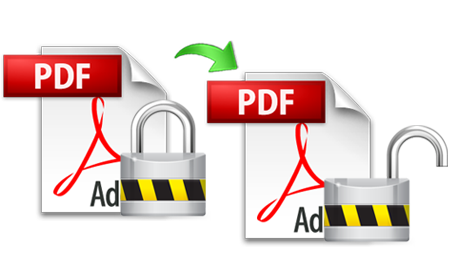
Have you forgotten your PDF file password and now want a PDF lock remover so that you can perform the functions of editing, copying, and printing your PDF files? We have a great solution for unlocking the PDF file. This software to unlock PDF files is SysTools PDF Unlocker tool. This PDF unlocker – PDF password remover is a simple and intuitive tool that you can easily use without any technical help. Even if you need some help, then SysTools has a 24x7 support team to guide you.

SysTools PDF Unlocker Tool Removes PDF Restrictions

This is an exemplary software to unlock PDF file. It helps you to remove the following restrictions from your locked PDF documents:

  • Using our software, you can unlock PDF for print
  • Using our Unlock PDF tool, you can unlock PDF for editing
  • Using our software, you can unlock PDF for copying

So, with the help of our software, you can easily and effortlessly unlock PDF – remove print restriction and remove copy and edit restriction.

PDF Passwords

A PDF file or document can be protected by a "User" Password or by an "Owner" Password. This protection is to specify operations that restricted for printing, copying and editing. SysTools PDF Unlocker tool cannot remove the “User” password. It can only remove the “Owner” passwords from the PDF documents.

Download the Demo Version – Try the Tool Absolutely FREE

With the help of the Demo Version of our software to unlock PDF file, you can unprotect (remove password) a sample file. We will give you a password protected sample PDF file along with the Demo Version software setup. With the help of this version, you will be able to see the process of un-protecting that sample PDF file. Download the Demo Version now to try PDF Unlocker software absolutely FREE of cost. Get acquainted with the software before its purchase. You can evaluate the efficiency of the software using this Demo Version.

Download Free Demo version of SysTools PDF Unlocker Software

Key Features of Our Software to Unlock PDF File

Following are some significant features of our PDF unlocker tool

  1. Remove Owner Passwords: With the help of SysTools PDF Unlocker, you can remove ‘Owner’ passwords if your Adobe Acrobat PDF files are protected by “Owner” passwords, and can remove restrictions on printing, editing, copying and extracting.
  2. Remove Restrictions: Using our software to unlock PDF file, you can remove restrictions kept on copying/editing/extracting text and on printing PDF documents. (Note: You must have the right to do it or you must know the “User” Password).
  3. Use The Software for All Adobe Acrobat Versions: You can use our PDF Unlocker tool for almost all Adobe Acrobat versions (up to 9, even with 128-bit or 256-bit encryption).
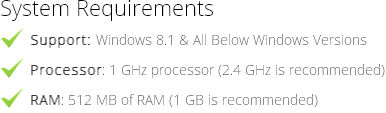
  4. Use The Software on All Windows Versions:You can use our product on almost all Windows versions (98, ME, 2000, 2003, XP, Vista, and Windows 7).

Important Note

If Your PDF File is Protected with User Password: – If your PDF file is protected with “User” password, then you must know the password for opening the document. Software cannot remove the “User” password.

If Your PDF File is Protected with Owner Password: – Software can help you to unlock PDF restrictions from the documents if they are protected with "Owner" Password. The software can remove ‘Owner’ passwords and will help you perform the operations of copying of text, modification of the documents, printing of documents and extracting text from documents etc on the documents after removing the “Owner” password restrictions.

Full Version – Remove Restrictions from Unlimited PDF Documents

If you are satisfied after evaluating the Demo Version of our software to unlock PDF file, then you can purchase the Full Version of SysTools PDF Unlocker to remove restrictions from any number of PDF documents. You can unprotect unlimited PDF files using our product.

Registered users of SysTools PDF Unlocker software are entitled to FREE software updates (up to the release of the next major version) and to know more about the FREE updates available, you can contact our online technical support team